The essential reporting template for marketing professionals.
Show your boss or clients their marketing performance, without spending hours pulling data.
Built for in-house marketers and freelancers, consultants and agencies. Buy it once and duplicate it as many times as you need, for any website or business.
I want to simplify my reporting! →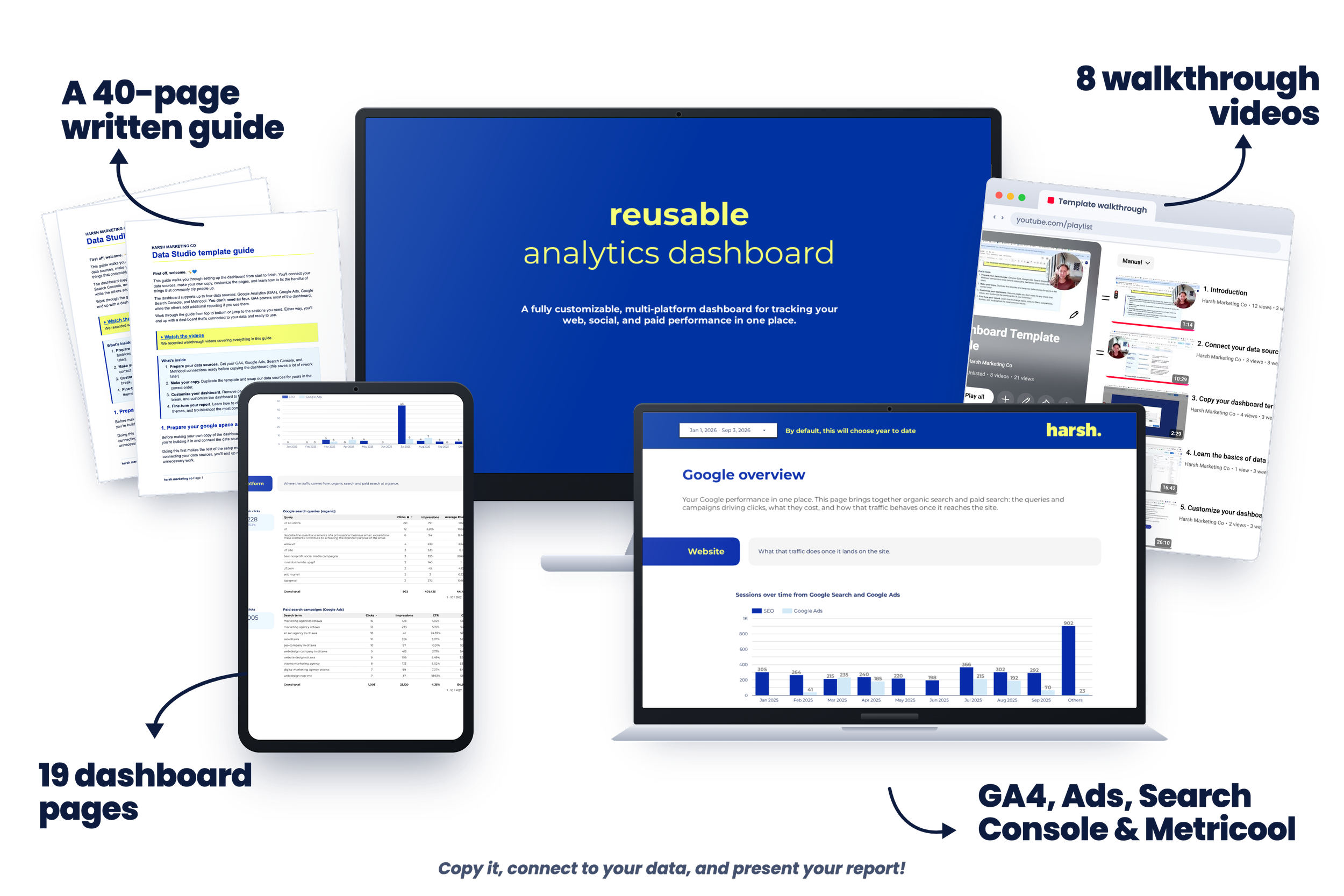
Never used Data Studio? No problem.
The template is built in Data Studio (formerly Looker Studio), Google's free reporting tool.
You don't need any previous experience, just our step-by-step guidance.
Our thorough video guides walk you through connecting your data, setting up the template and customizing your report.
Your marketing data is everywhere…
(And somehow, you're still expected to explain what's working.)
Let's fix this now!
With the right reporting system, making sense of your marketing gets a whole lot easier.
The Reusable Marketing Report Template helps you bring your data together, uncover what's working and report your results with confidence.
By grabbing this reporting package, you get:
A Reusable Marketing Report Template
Bring your most important marketing data together in one professional report you can reuse every month. Duplicate it as many times as you like, for any website or business.
Interactive Reporting Tools
Change date ranges, search tables, filter charts and explore your data without rebuilding your report.
A Step-by-Step Setup Guide
Follow clear written instructions to connect your data, customize your report and make the template your own.
A Complete Video Guide Playlist
Watch every step of the setup process so you never have to figure out Data Studio alone.
Google Marketing Reporting Pages
Track performance across Google Analytics, Search Console and Google Ads in one place.
Social Media Reporting Pages
Connect your social data through Metricool and see how your content is performing across platforms. Metricool's connector needs a paid Metricool plan. Skip it if you don't have one, these pages still show the Google Analytics side.
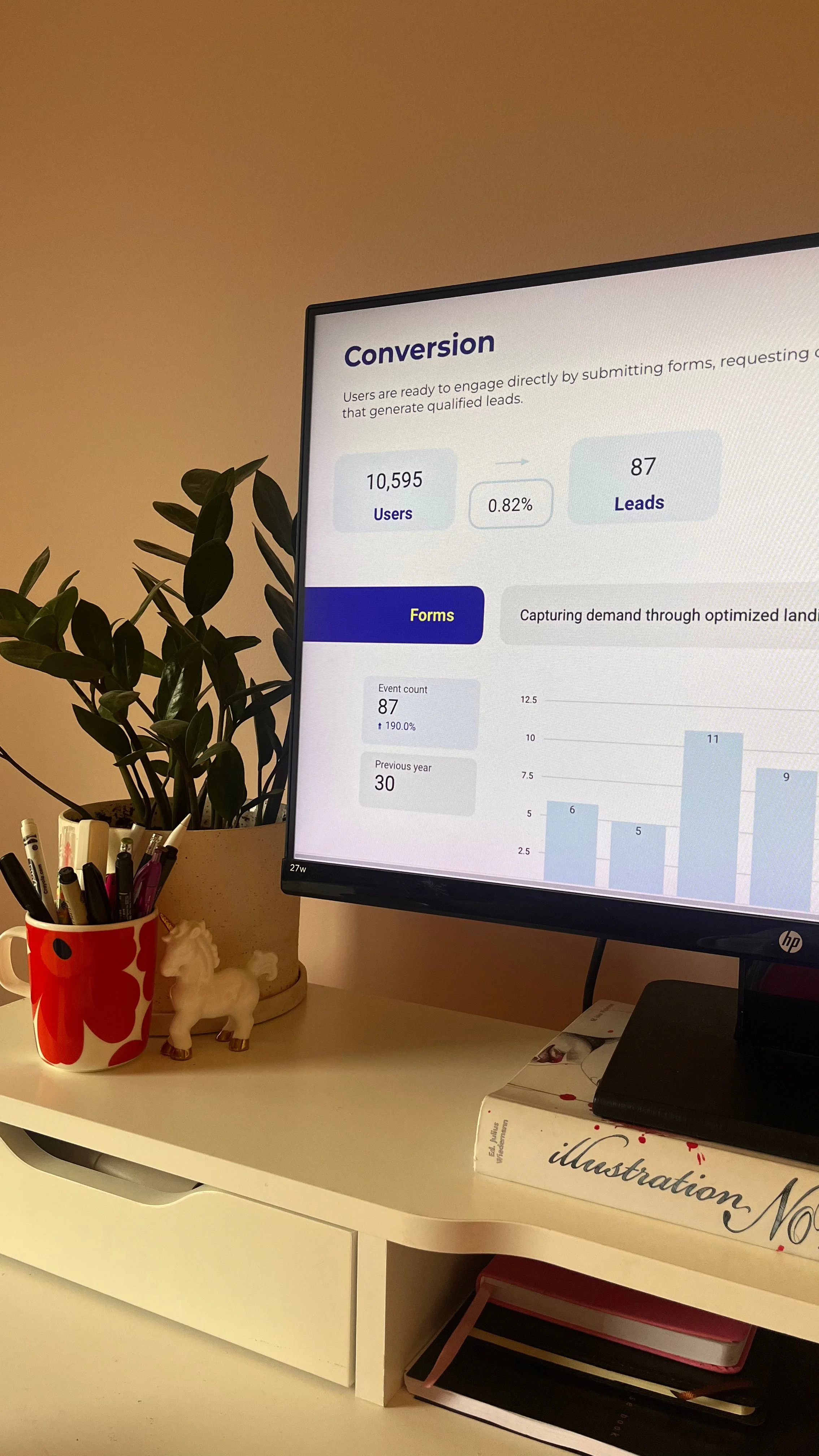
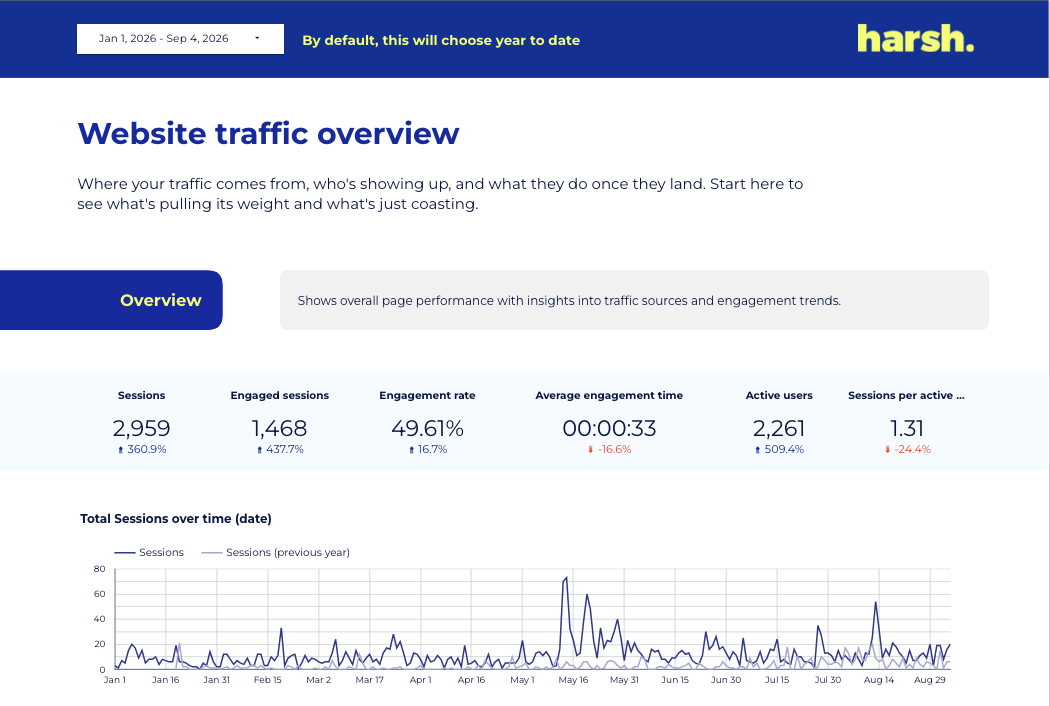
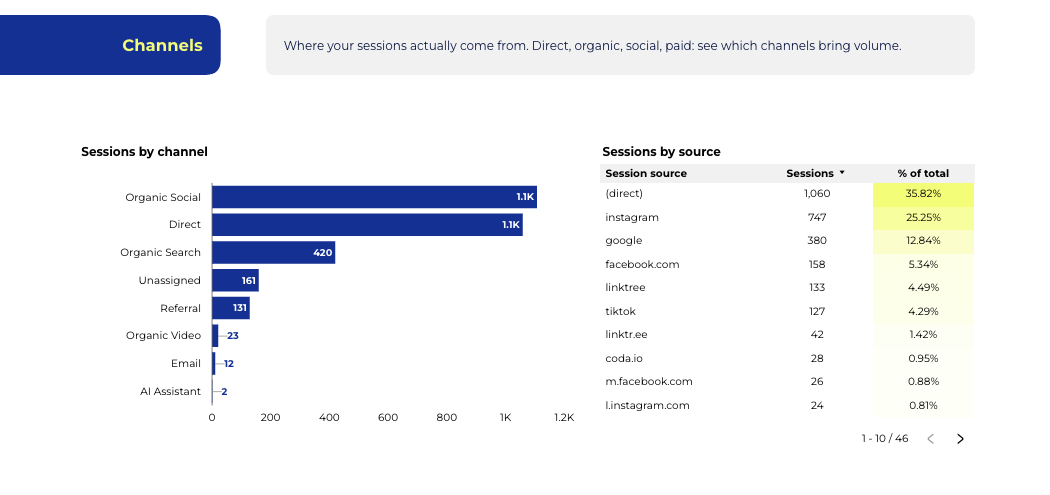
A few samples from inside the template.
Snippets of four of the 19 pages, on dummy data. Every chart, table and filter is live with your connected data once you duplicate it.
It connects to your live data, so you'll need access to at least one of these. You don't need all of them, delete the pages you don't use.
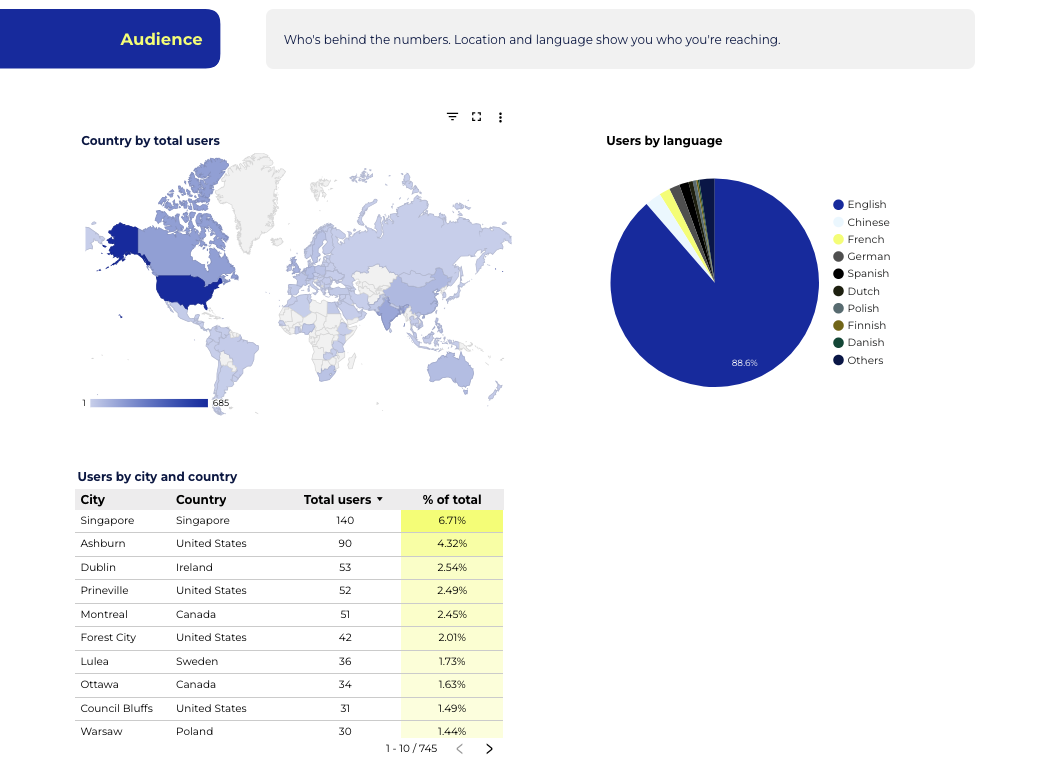
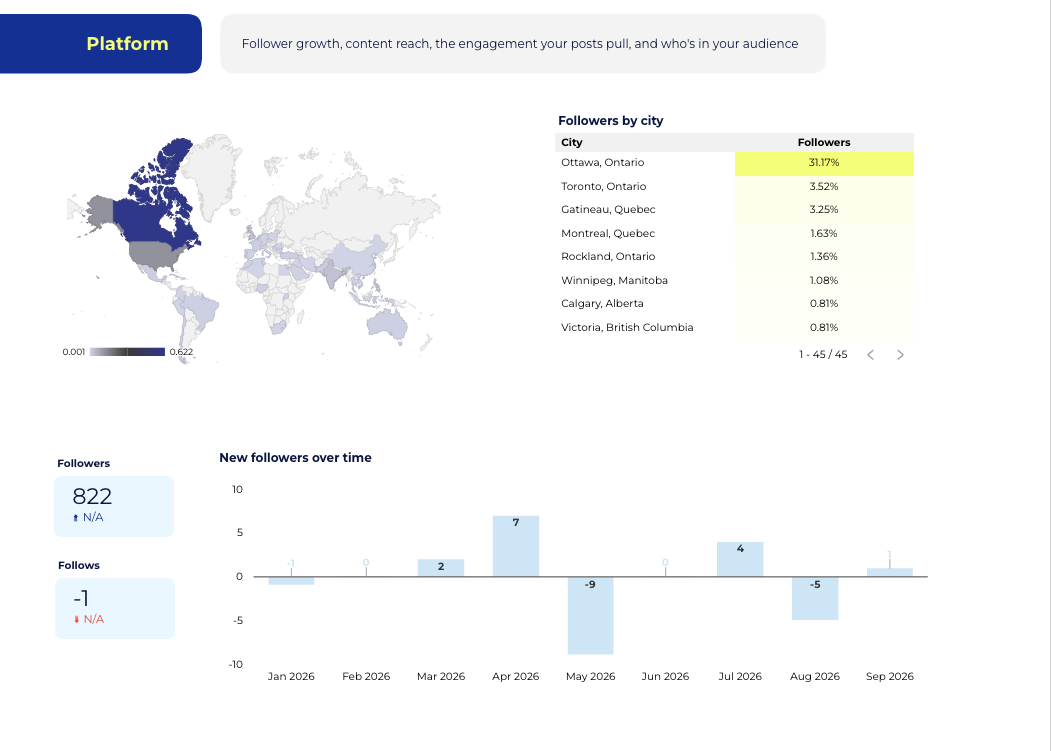

We built this because we had to answer the same question you do: “How is the marketing actually performing?”
We spent 10+ years together at a marketing agency, working with 300+ organizations. And a big part of our job was figuring out what was working, what wasn't and what we should do next, then communicating that clearly to our clients.
So we built dashboards that helped us do exactly that.
They gave us a clear view of performance, helped us make data-informed decisions and gave us the confidence to back up our recommendations with data.
That reporting system became an important part of how we built trust and credibility with our clients and it's the foundation of the template you're getting here.
The Reusable Marketing Reporting Template
one-time · USD · unlimited copies
Buy once, duplicate it as many times as you need.
Get the templateInstant access. Setup videos included.
Automated reporting, without the monthly bill.
Most reporting tools run a few hundred dollars a month, every month. For a lot of teams and freelancers, that never gets approved.
They look nice, but nothing is connected to your data. You export, copy, paste and manually update every number, every month.
Built in Data Studio, connected to your live accounts. Pay once and the numbers update themselves every time you open it.
Next month's report can already be built.
Connect it this week and reporting stops being something you dread.
Yes, I need this! →Limited time offer · $300 $89
Three things: the template itself, with reporting pages for GA4, Search Console, Google Ads and Metricool; a written setup guide; and the full video walkthrough playlist.
No. The report is already built. You connect your accounts and rename it and the setup videos walk through every step. We also cover the basics of Data Studio itself, so if you want to change a chart, add a page or make it your own, you'll know how. We hold your hand through all of it.
The dashboard connects to your live data, so you need access to at least one of these four: GA4, Search Console, Google Ads or Metricool. You don't need all four. Delete the pages you can't connect and keep the rest.
Connecting your data sources takes minutes, it's genuinely easy. After that it depends on what you need to change: deleting the pages you don't use, tidying things up. Going further, customizing the design or reviewing your tags to make sure the data coming in is clean, is a separate layer that depends on your needs.
Every page is modular. Delete the channels you don't run, duplicate the ones you do.
Both. In-house teams use it to show leadership what's driving results; freelancers, consultants and agencies duplicate it per client and send a live report instead of a monthly deck.
Yes. Buy it once and duplicate it as many times as you need. Each copy connects to a different set of accounts, so one purchase covers every client you report on. No per-client license, no seat limits.
No. One payment, yours to reuse across as many brands, accounts or clients as you like.
Ideally, ask. It's a small line item and easy to justify: better reporting means better decisions and the case for tracking performance properly is one your boss already agrees with. But if approvals take weeks, $89 out of pocket is a fair investment in your own work. A clear report you built gets noticed and that tends to show up in reviews and raises.
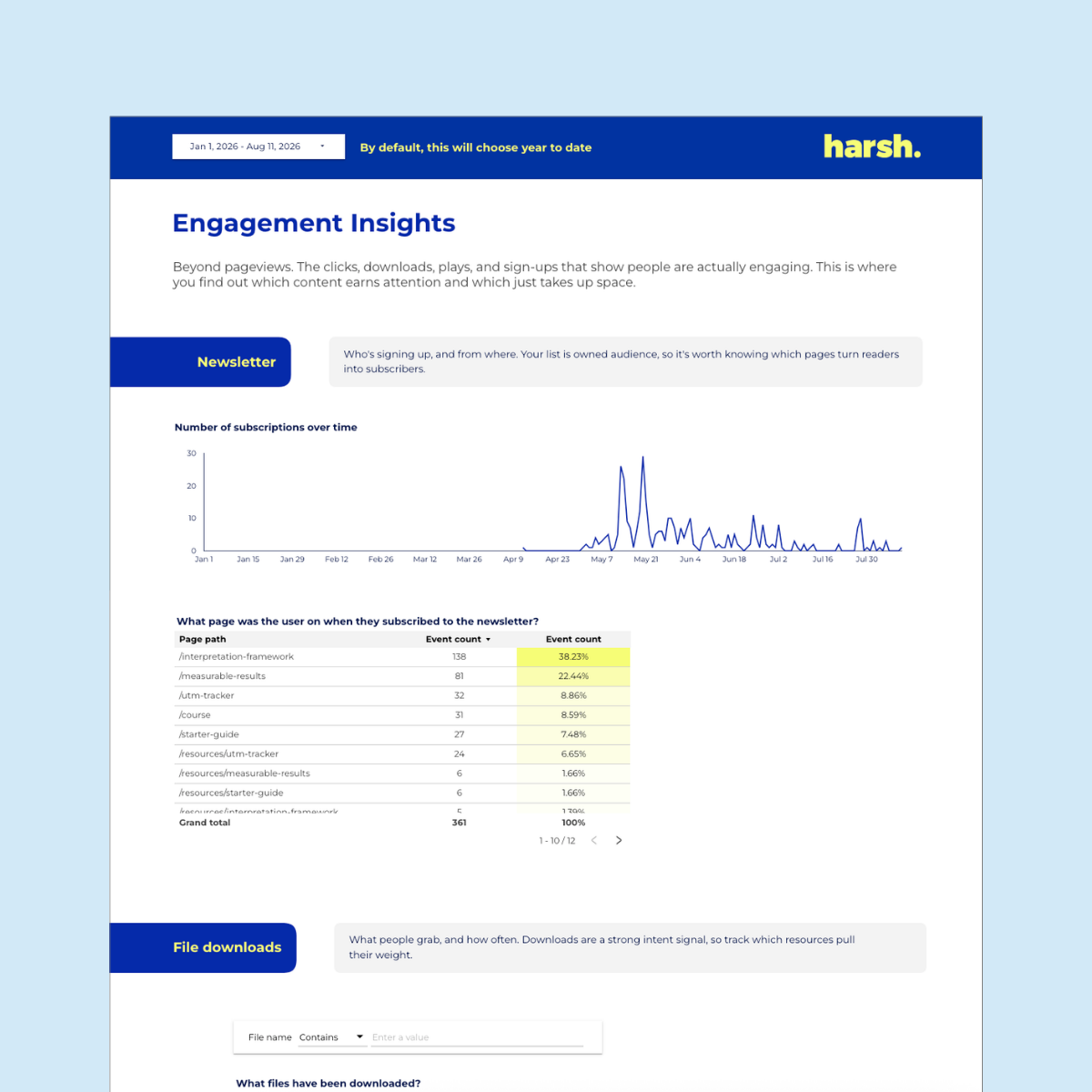
Your web, SEO, paid and social data… pulled into one live Google Data Studio dashboard that updates itself.
Tired of spending hours copy/pasting numbers just to build one report? This template hands that time back to you. Less reporting, more deciding.
Connect it once to four data sources (GA4, Google Search Console, Google Ads, and Metricool) and it covers every platform that matters: organic and paid search, Google Business Profile, Instagram, Facebook, TikTok, LinkedIn, Pinterest, and Meta Ads. Ready-made pages for traffic, key events, engagement, page breakdowns, and channel-by-channel social.
What you get:
✔️ A welcome PDF with links to everything you need
✔️ The full reusable Data Studio, formally know as “Looker Studio” dashboard
✔️ A step-by-step setup guide + video walkthroughs
✔️ Map it to your own data with a simple copy
✔️ Free updates, forever
Heads up: the social pages run through Metricool (Advanced or Custom plan). Everything web and Google works on the free connectors.